
Chrome extension for voice notes
Explain it out loud, right where you work.
Talk & Comment puts a mic in Gmail, Google Docs, Sheets and any page in Chrome. Explain a client file, flag a cell, walk someone through a quote. They click your link and hear you.
25 voice notes a month free. No credit card.
The extension installs on a computer or Chromebook.
Voice notes since 2013. Featured on the Chrome Web Store
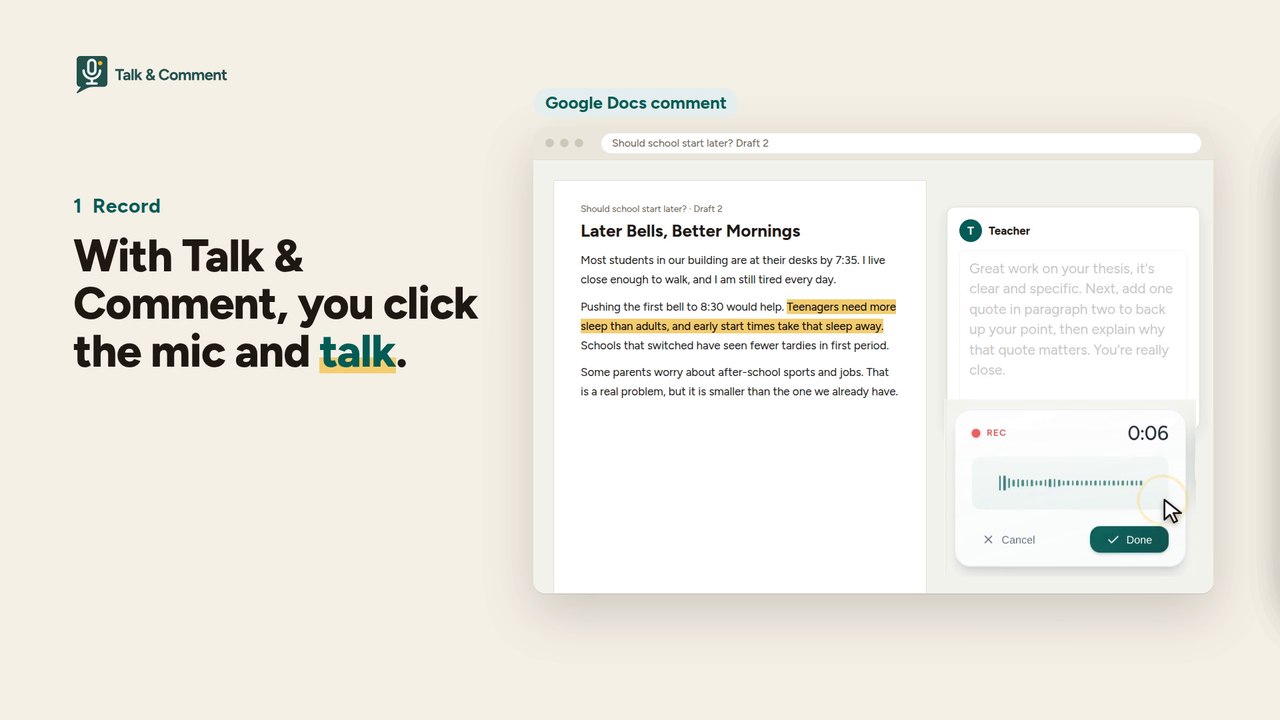
The video can’t play right now. The transcript below has every word.
Transcript
Some feedback takes a paragraph to write, and ten seconds to say.
With Talk & Comment, you click the mic and talk.
You get a link. Paste it in a Google Doc comment, in your LMS, in an email. Anywhere you can paste a link.
Students click, and hear your tone. No install. No account.
With the extension, the link becomes a player, right on the page.
Paid plans add transcripts and translation.
Talk & Comment. Voice notes since 2013. Free to start.
The document, LMS, email and class post in the video are stand-ins, not a real classroom.
Two ways to start
Pick the one that fits the computer you’re on.
With the extension
Record inside Gmail, Docs and Sheets
For a laptop or Chromebook where you can add Chrome extensions.
- Add it from the Chrome Web Store. A setup page opens.
- Pick your role, pin the extension and allow the microphone.
- Record a test note, then sign in with Google to keep your notes.
Without installing
Record on talkandcomment.com
For a computer where you can’t add extensions.
- Pick your role.
- Record a practice note. Your browser asks for the microphone.
- Sign in with Google to save notes and get links to share.
The people you send it to install nothing: they open your link on a phone or laptop and listen. Students under 13 start listen-only, with no mic and no sign-in; recording for them needs a parent or guardian’s consent first.
What they get
A link that plays in any modern browser, phones included. No app, no account.
When you open a note for replies, they can answer in text or with a voice note after typing their name.
A 12-second sample note. Transcripts come with paid plans.
From the Chrome Web Store reviews
Hundreds of millions of voice notes since 2013.
Great for teaching. Works well with Google Classroom. Can also be used effectively and easily by students with dyslexia on tests, etc.
Aaron C.
★★★★★ · Chrome Web Store review · Mar 2021
It has facilitated my work while evaluating my students. I also like how my voice sounds.
Jennifer P.
★★★★★ · Chrome Web Store review · Aug 2020
Such a useful extension! I wish I had found out about this years ago.
Cindy N.
★★★★★ · Chrome Web Store review · Aug 2020
Free to start
25 voice notes a month and 3 collections, with no credit card and no trial clock. On Free, recordings are kept for at least 90 days. After that, we may remove older ones, starting with those nobody has played recently. Paid plans keep everything while you're subscribed.
TAC Plus ($5 a month) raises it to 100 a month and adds transcripts, translation into 20 languages and AI summaries.
Compare plans →For schools and districts
Signed DPAs in force across 18 states (check the list for yours), US-only hosting and storage, and an admin console with usage reports. New school accounts start with student recording off; an admin can turn it on.
A district policy can switch AI off entirely. Sub-processor changes are posted at least 30 days before they take effect, and the DPA notice contacts on file get an email the same day.
From $299/year · exact quote by roster size.
Privacy for districts · Data security plan · Sub-processors · Privacy policy
Explain the next one out loud.
25 voice notes a month free. No credit card.